

- Why Naming Conventions Actually Matter (No, Seriously)
- Core Naming Rules (a.k.a. The Basics That Shouldn’t Be Ignored)
- 📘 The Almighty Prefix List
- 📘 Recommended Suffixes for Unreal Engine 5 Assets
- Pro Tips You’ll Thank Me For
- 📁 Project Structure That Won’t Make You Cry
- 🛠 Tools That Help When You Inevitably Screw Up
- Final Thoughts
Why Naming Conventions Actually Matter (No, Seriously)
If you’re thinking, “I’ll organize everything later,” let me stop you right there.
You won’t – Nobody does.
And that’s how you end up debugging NewBlueprint36 at 2 a.m. wondering if it controls your enemy AI or opens a door.
Naming conventions in Unreal Engine aren’t just a formality—they’re your lifeline. Especially once your project grows past five assets and one coffee-fueled coding session. Trust me, naming things properly from day one will save your sanity when your Blueprints multiply like rabbits and your Levels start duplicating themselves out of spite.
Why you should care:
- You can find your stuff in seconds
- You know what an asset does before opening it
- Your future self will thank you (or at least hate you less)
- Your teammates won’t secretly curse your name
Core Naming Rules (a.k.a. The Basics That Shouldn’t Be Ignored)
- Use prefixes – Be specific. A name like
BP_Enemy_Zombietells you way more thanThing3. - Avoid diacritics, accents, and spaces – Use PascalCase or snake_case. Unreal will throw a tantrum otherwise.
- Never use default names like
NewBlueprint– That’s how legends of pain are born. - Be descriptive, not dramatic –
BP_PlayerShootsBigBoomis funny, but not helpful six months later. - Don’t repeat yourself –
Blueprint_BP_Swordis just sad.
📘 The Almighty Prefix List
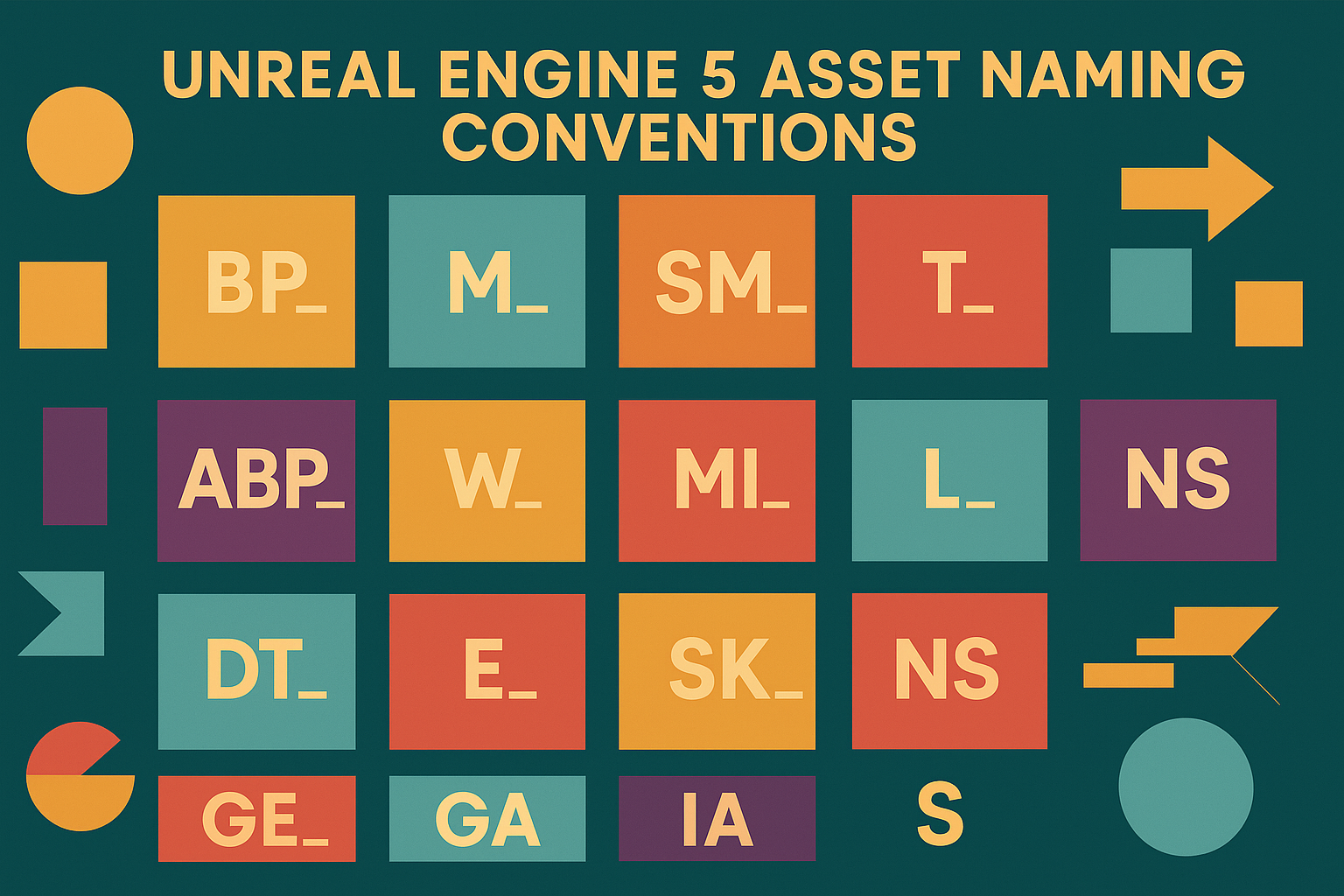
Below is your go-to cheat sheet of all the standard Unreal Engine asset prefixes. Memorize them. Tattoo them. At least bookmark them.
| Asset Type | Prefix | Example |
|---|---|---|
| Blueprint Class | BP_ | BP_EnemyZombie |
| Blueprint Interface | BPI_ | BPI_Interactable |
| Blueprint Function Library | BFL_ | BFL_GameUtils |
| Component (Blueprint or C++) | COMP_ | COMP_HealthRegen |
| C++ Class | C_ | C_PlayerCharacter |
| Enum | E_ | E_WeaponType |
| Struct | F_ / S_ | F_PlayerStats |
| Data Table | DT_ | DT_EnemyStats |
| Curve (Float/Vector/Color) | Curve_ | Curve_HealthOverTime |
| Gameplay Ability (GAS) | GA_ | GA_DashAbility |
| Gameplay Effect (GAS) | GE_ | GE_BurnDamage |
| Gameplay Cue (GAS) | GC_ | GC_DamageFlash |
| Gameplay Tag Config | Tag_ | Tag_Ability.Fireball |
| Input Mapping Context | IMC_ | IMC_PlayerControls |
| Input Action | IA_ | IA_Interact |
| Widget Blueprint (UI) | W_ | W_MainMenu |
| Texture | T_ | T_Concrete_Diffuse |
| Material | M_ | M_ConcreteTiled |
| Material Instance | MI_ | MI_Concrete_Red |
| Material Function | MF_ | MF_BlendTextures |
| Static Mesh | SM_ | SM_Barrel01 |
| Skeletal Mesh | SK_ | SK_HeroCharacter |
| Physics Asset | PHYS_ | PHYS_Hero |
| Animation Blueprint | ABP_ | ABP_Hero |
| Animation Montage | AM_ | AM_HeroAttackCombo |
| Animation Sequence | A_ | A_RunForward |
| Pose Asset | PA_ | PA_RifleAiming |
| Blend Space | BS_ | BS_RunWalkBlend |
| Sound Cue | SC_ | SC_Explosion |
| Sound Wave | S_ | S_StepGravel |
| MetaSound | MS_ | MS_ProceduralGunshot |
| Niagara System | NS_ | NS_ExplosionFire |
| Niagara Emitter | NE_ | NE_SmokeTrail |
| Behavior Tree | BT_ | BT_EnemyAI |
| Blackboard | BB_ | BB_EnemyData |
| AI Controller | AI_ | AI_EnemyBasic |
| Nav Mesh Bounds Volume | NAV_ | NAV_ForestVolume |
| World Partition Data Layer | DL_ | DL_UrbanProps |
| World Partition Runtime Cell | WC_ | WC_CityBlock_A1 |
| Level (Map) | L_ / Map_ | L_Forest_01 |
| Level Instance (Sub-Level) | LI_ | LI_HouseInterior |
| Level Sequence | SEQ_ | SEQ_IntroCinematic |
| Cinematic Shot Track | SHOT_ | SHOT_HeroCloseup |
| Camera Actor | CAM_ | CAM_BossFightIntro |
| Light Actor | LIGHT_ | LIGHT_TorchStatic |
| Decal | DECAL_ | DECAL_BloodSplat_01 |
| Font Asset | Font_ | Font_MainTitle |
| Save Game Class | SG_ | SG_PlayerData |
| Media Texture / Media Player | Media_ | Media_IntroVideo |
| Http Request Class (Plugins) | HTTP_ | HTTP_LeaderboardRequest |
| Online Subsystem Class | OS_ | OS_SessionManager |
📘 Recommended Suffixes for Unreal Engine 5 Assets
Quick Tips:
- Suffixes can be combined: e.g.,
MI_MetalScratched_HD_Inst,BP_IntroCam_SP_Final - Avoid contradictory combos (no
BP_Enemy_MP_SP) - Use suffixes when they clarify, not just for decoration
| Suffix | Meaning | Usage | Example |
|---|---|---|---|
_Master | Base or master version | Materials, Blueprints, SoundCues | M_Wood_Master |
_Inst | Instance | Material Instance, Blueprint | MI_Wood_Wet_Inst |
_Var | Variation | Mesh, Texture, Material | T_BrickWall_Var01 |
_HD | High resolution | Texture, Material | T_CharacterSkin_HD |
_LOD0 | LOD level 0 (highest detail) | Mesh, Skeletal Mesh | SM_Tree_LOD0 |
_Mobile | Mobile-optimized version | Shader, Texture, Material | MI_UI_Glow_Mobile |
_Preview | Preview or temporary version | Any asset | BP_UIOverlay_Preview |
_WIP | Work In Progress | Any asset | BP_MechBoss_WIP |
_Final | Final, production-ready | Any asset | SEQ_Intro_Final |
_Temp | Temporary (placeholder) | Any asset | T_Diffuse_Gray_Temp |
_Proxy | Simplified geometry (e.g., for collision) | Mesh | SM_House_Proxy |
_Col | Collision version | Mesh | SM_Crate_Col |
_NoCol | No collision | Mesh | SM_Lamp_NoCol |
_Static | Static variant | Mesh, Light | SM_Lamp_Static |
_Dynamic | Dynamic version | Blueprint, Light | BP_Light_Dynamic |
_Anim | Animated version | Widget, Blueprint | W_Button_Anim |
_Icon | Icon asset | Texture, Widget | T_Health_Icon |
_Loop | Looping (sound or animation) | Audio, Animation | S_AmbientWind_Loop |
_01, _02, _03 | Numbered sequence | Texture, Audio, Mesh, Sequencer | T_GlassCrack_02 |
_UI | UI-only asset | Texture, Blueprint, Widget | T_Heart_UI |
_FX | Visual effect | Niagara, Blueprint | BP_Explosion_FX |
_MP | Multiplayer-specific | Blueprint, Logic | BP_PlayerController_MP |
_SP | Single-player-specific | Blueprint | BP_IntroCutscene_SP |
_BPOnly | Blueprint-only utility | Function Library, Debug | BFL_DebugTools_BPOnly |
_Editor | Editor-only utility | Editor Tools, Widgets | W_SceneManager_Editor |
_VR | VR-specific asset | Mesh, Input, Widget | W_HandsOverlay_VR |
Pro Tips You’ll Thank Me For
🔹 Make Names Human-Readable
Bad:
BP_1
BP_NewChar2
BP_TheBigGuyMaybeBoss???
Good:
BP_Enemy_Melee_Heavy
BP_Enemy_Ranged_Boss
BP_Player_Companion_Doggo
🔹 Use Suffixes for Variants
MI_MetalScratched_HD = High-res materialBP_EnemyBoss_MB = Multiplayer variantT_UI_Icon_Health = Texture used in HUD
🔹 Capitalization Helps
Stick to CamelCase or snake_case. Never ever use alllowercase or MIXEDUpCASE.
📁 Project Structure That Won’t Make You Cry
/Blueprints
  /Enemies
    BP_EnemyGrunt
    BP_EnemyBoss
  /Player
    BP_PlayerCharacter
    BPI_Interactable

/Materials
  M_Concrete
  MI_Concrete_Wet

/Meshes
  /Static
    SM_Weapon_Sword
  /Skeletal
    SK_PlayerHero

/Animations
  A_Run
  AM_SwordCombo
  ABP_PlayerHero

/UI
  W_MainMenu
  W_PauseMenu

/Data
  DT_Weapons
  E_WeaponType
  F_WeaponStats
Stick to a layout like this and Unreal won’t fight you during packaging. Bonus: your content browser won’t look like a crime scene.
🛠 Tools That Help When You Inevitably Screw Up
- Fix Up Redirectors – After moving files, clean up references
- Asset Audit – For dependency checks and memory use
- Source Control + Code Review – Let someone else catch your crimes
Final Thoughts
Naming conventions might feel like annoying paperwork when you’re just trying to “make cool stuff,” but they’re one of the few things separating functional devs from sleep-deprived chaos monsters. Unreal Engine is powerful, but it does not suffer naming fools lightly.
Treat your naming like part of development, not an afterthought. Build habits now, and your future self—or your teammates—won’t want to throw a keyboard at your head later.